The Amazon Firestick is hands down the most widely used streaming device across the island of Ireland. But possessing great hardware is only half the battle. To unlock the full potential of your device, you need to know what constitutes the best IPTV for Firestick in Ireland—evaluating both the backend streaming service and the player application configured on the stick.
In this focused review guide, we analyze the essential performance benchmarks that a Firestick-compatible IPTV setup must achieve, compare the top player apps built specifically for Fire OS, and share expert setup tips to guarantee butter-smooth channel zapping.
Why Firestick Users Require Optimized IPTV Services
While the Firestick 4K and 4K Max are remarkably powerful for their size, streaming devices operate with constrained flash storage (typically 8 GB or 16 GB) and shared system RAM (1.5 GB to 2 GB).
A poorly structured IPTV playlist containing 40,000 uncompressed channel lines and huge un-cached EPG files can cause the Firestick to slow down, run out of internal storage, or crash back to the home screen. The best services designed for Fire TV provide clean, organized bouquets with lightweight Xtream Codes API integration that loads smoothly in seconds.
The Top 3 IPTV Player Applications for Fire TV
Your player app determines how you interact with your channels every day. Here is how the top players rank for Irish Firestick users:
| Player Application | Key Strengths on Fire TV | Downsides / Limitations | Best Suited For |
|---|---|---|---|
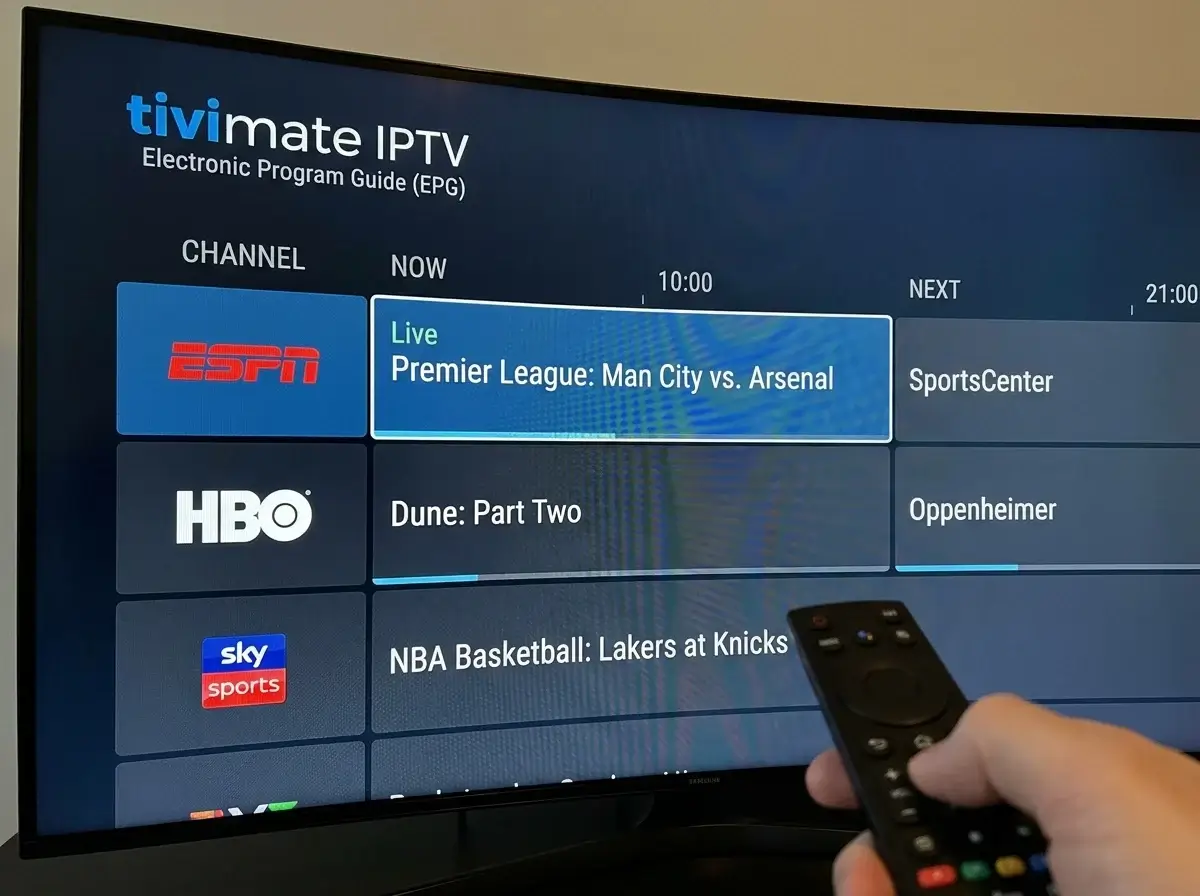
| TiviMate (Premium) | Authentic cable/satellite TV guide layout, multi-screen viewing, fast zapping, USB recording | Requires companion app on an Android phone/PC to purchase the premium license | The Best Overall: Ideal for daily sports and family viewing |
| IPTV Smarters Pro | Clean multi-user profiles, simple separate VOD and Series tabs, free version available | TV guide navigation is slightly less fluid than TiviMate; more basic recording support | Casual viewers who want an easy, plug-and-play setup |
| XCIPTV Player | Highly customizable interface, built-in speed test, dual integrated ExoPlayer and VLC players | Heavier UI that can feel slightly sluggish on older Firestick Lite models | Enthusiasts who want granular control over video decoders |
What Features Make a Service "Best" for Firestick?
When evaluating IPTV providers in Ireland specifically for use on a Firestick, look for these three critical factors:
- Xtream Codes API Login: Entering long, complicated 200-character M3U playlist URLs using an on-screen Fire TV remote is tedious and error-prone. The best services provide simple Xtream Codes credentials (Server URL, Username, and Password) that can be entered in 30 seconds.
- Direct H.264 / HEVC Streams: Hardware decoding on Firestick requires properly encoded video containers. Streams encoded in standard H.264 or modern HEVC playback smoothly without draining processor cycles. Read our technical guide on IPTV 4K in Ireland.
- Curated Irish Bouquets: Dedicated categories for Irish IPTV channels and UK broadcasting prevent your Firestick memory from getting cluttered with thousands of foreign channels you will never watch.
Looking for the best IPTV setup tailored for your Firestick model? Contact us on WhatsApp at +44 7853 146902 for tested recommendations.
5 Expert Settings to Optimize Your Firestick for IPTV
To prevent buffering during live IPTV sports in Ireland, configure these five internal Firestick settings:
- Turn Off Auto-Play Videos: Navigate to Settings > Preferences > Featured Content and switch off both "Allow Video Autoplay" and "Allow Audio Autoplay" to free up background RAM.
- Disable Data Monitoring: Under Settings > Preferences > Privacy Settings, turn off data monitoring and device usage data.
- Match Original Frame Rate: In Settings > Display & Sounds > Display, enable "Match Original Frame Rate". This allows your TV to switch to native 50Hz for European broadcasts and 60Hz for US channels, eliminating subtle micro-stutter.
- Manage Background Apps: Close background applications using the free "Background Apps & Process List" utility from the Amazon Appstore.
- Keep Adequate Free Storage: Maintain at least 2 GB of free storage on your Firestick so player apps have ample space to cache live video streams and EPG databases.
Frequently Asked Questions
Which Firestick model is best for IPTV streaming in Ireland?
The Amazon Fire TV Stick 4K Max (2nd Gen) is the best choice thanks to its 16 GB of internal storage, 2 GHz processor, Wi-Fi 6E connectivity, and support for all modern video formats. Read our comprehensive device analysis on IPTV for Firestick in Ireland.
How do I install an IPTV player on my Firestick?
Follow our simple, step-by-step tutorial on how to install IPTV on Firestick in Ireland using the official Downloader tool.
Can I test a Firestick service before purchasing a subscription?
Yes, reputable services provide an IPTV Ireland free trial so you can test channel switching speeds and picture clarity on your Fire TV Stick first.
Conclusion
Pairing an Amazon Firestick with an optimized, low-latency IPTV service delivers one of the finest television experiences available in Ireland today. By choosing an app like TiviMate or IPTV Smarters and applying smart memory settings, you can enjoy crisp, high-definition sports and entertainment with instant channel switching every day.
Need help choosing or configuring an IPTV app on your Fire TV Stick? Chat with our team on WhatsApp at +44 7853 146902.